


In today’s digital world, website security is no longer optional, it’s essential. Whether you run a personal brand, startup, or growing business, your website is a valuable digital asset that must be protected. Cyber threats are becoming more advanced, and even small websites are often targeted.
In this guide, we’ll explain how a website can stay secure, why it matters, and the best practices every website owner should follow.
Why Website Security Is Important
A secure website protects:
- Sensitive user data
- Your brand reputation
- Search engine rankings
- Business operations
An unsecured website can lead to data breaches, downtime, loss of customer trust, and even penalties from search engines like Google.
1. Use HTTPS and an SSL Certificate
HTTPS encrypts data exchanged between your website and visitors.
An SSL certificate ensures that login credentials, contact forms, and payment information remain private.
Benefits of HTTPS:
- Protects user data
- Builds visitor trust
- Improves SEO rankings
- Required for modern browsers
🔒 Google prioritizes secure websites in search results.
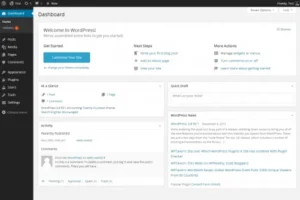
2. Keep Your Website Updated
Outdated software is one of the biggest security risks.
This includes:
- CMS (WordPress, etc.)
- Themes
- Plugins
- Extensions
Updates often fix known vulnerabilities that hackers exploit. Regular updates significantly reduce security risks.
3. Use Strong Passwords and Authentication
Weak passwords make it easy for attackers to gain access.
Best practices:
- Use long, complex passwords
- Enable two-factor authentication (2FA)
- Limit login attempts
- Change passwords regularly
This simple step prevents most brute-force attacks.
4. Install a Web Application Firewall (WAF)
A firewall acts as a shield between your website and malicious traffic.
It helps:
- Block suspicious IPs
- Prevent DDoS attacks
- Stop malware before it reaches your site
A WAF is especially important for business and high-traffic websites.
5. Regular Backups Are Essential
No website is 100% immune to attacks. That’s why backups matter.
Why backups are critical:
- Restore your website quickly after an attack
- Prevent permanent data loss
- Reduce downtime
Automated daily or weekly backups are strongly recommended.
6. Secure Hosting Matters
Your hosting provider plays a major role in website security.
Look for hosting that offers:
- Server-level security
- Malware scanning
- DDoS protection
- Automatic backups
- SSL support
Cheap hosting often lacks proper security infrastructure.